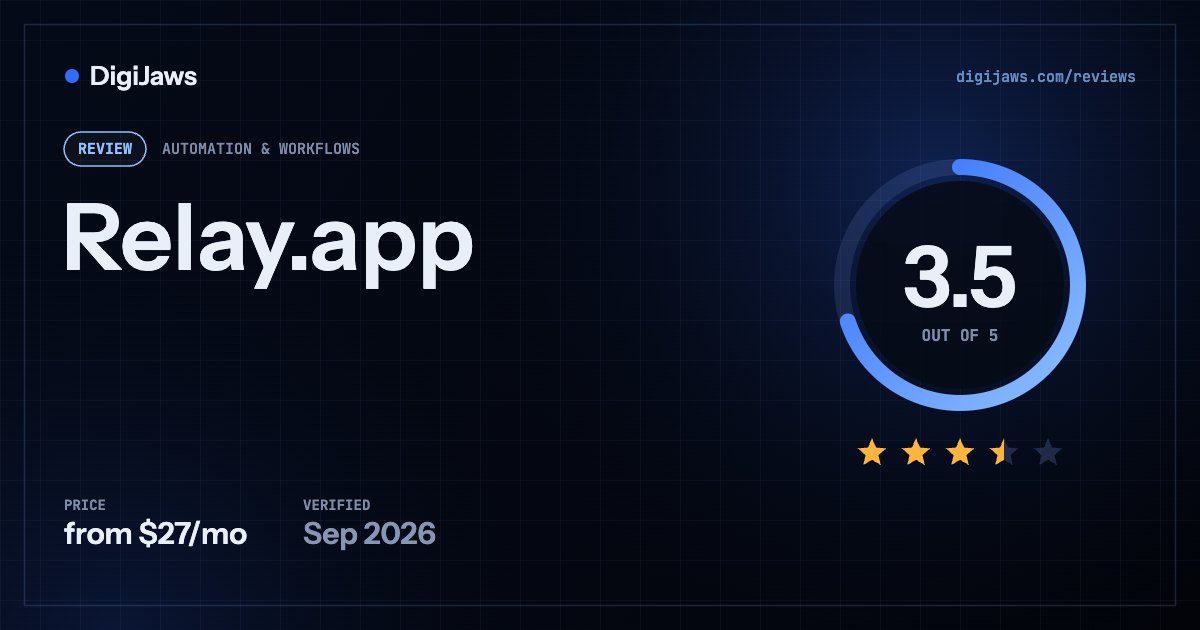
Relay.app — AI-native automation with human-in-the-loop steps — metered on workflow steps and AI credits simultaneously, so two counters drain at once.
Short answer: Relay.app is an AI-first automation platform with a free tier and reported paid plans. Sources differ: some report Professional at $27 a month and Teams at $98, others report Professional at $38 a month for one user with 750 steps and 5,000 AI credits, and Team at $59 flat with unlimited users, 25,000 steps and 2,000 AI credits. Enterprise is custom. Relay meters workflow steps and AI credits at the same time.
On this page
Verdict at a glance
Human-in-the-loop steps built in. Relay lets a workflow pause for a person to approve or edit before continuing, which most automation platforms treat as an afterthought.
Two meters run simultaneously — workflow steps and AI credits — so a workflow can exhaust one while leaving the other untouched, and reported prices disagree between sources.
Relay.app is built around the idea that useful automation usually needs a person in it somewhere. Its human-in-the-loop steps let a workflow pause for approval or editing before continuing, which most platforms bolt on awkwardly if at all, and combined with AI steps that draft and decide, it produces workflows that are genuinely collaborative rather than purely mechanical. For approval-heavy processes that is a better model than a pure trigger-and-action chain. The pricing needs two caveats. First, reported figures disagree: some sources put Professional at $27 a month and Teams at $98, while others report Professional at $38 for one user with 750 steps and 5,000 AI credits and Team at $59 flat with unlimited users, 25,000 steps and 2,000 AI credits. Those are not reconcilable, so verify at checkout rather than trusting any comparison — including this one. Second, and more structurally, Relay charges on two meters at once: workflow steps and AI credits. Your real cost depends on how often automations run and how much AI work they do, and a workflow can exhaust one counter while barely touching the other. That is more honest than hiding AI cost inside a step price, but it means budgeting requires modelling both dimensions rather than one.
Quick facts
| Attribute | Detail |
|---|---|
| Ideal team | Teams automating approval-heavy processes that need a human step |
| Learning curve | Low to moderate — an agent-style workflow builder |
| Setup time | Under a day |
| Free trial | Free tier for learning and a couple of real automations |
| Free tier | ⚠️ Yes, but not a production plan for frequent workflows |
| Metering | ⚠️ Workflow steps and AI credits, simultaneously |
| Reported prices | ⚠️ Sources disagree — verify at checkout |
| Key limit | ⚠️ Two counters drain independently |
Overview
Relay.app is an AI-native automation platform whose distinguishing feature is human-in-the-loop steps: a workflow can pause, present something to a person for approval or editing, and continue based on what they decide. Most automation platforms treat human involvement as an exception to be engineered around; Relay treats it as a normal step. For approval-heavy processes — content review, outbound messaging, anything where an AI draft should be checked before it goes out — that produces workflows people actually trust, which is often the difference between an automation that ships and one that stays switched off.
The pricing is where accuracy becomes difficult, because reported figures do not agree. Some sources report Relay.app costing from $27 a month for Professional and $98 a month for Teams, alongside a free tier and custom Enterprise pricing. Others report Professional at $38 a month for one user including 750 steps and 5,000 AI credits, and Team at $59 a month as a flat rate with unlimited users, 25,000 automated steps and 2,000 AI credits. Those two accounts cannot both be current, so anyone evaluating Relay should verify pricing directly at checkout rather than relying on published comparisons — this one included.
What is consistent across sources is the metering model, and it is the more important thing to understand. Relay charges on two meters simultaneously: workflow steps and AI credits. Your real cost therefore depends both on how often your automations run and on how much built-in AI work they do, and those two dimensions move independently — a high-frequency workflow with little AI will exhaust steps while leaving credits untouched, and an AI-heavy workflow running occasionally will do the reverse. That is arguably more honest than folding AI cost into a step price, since you can see what you are paying for, but it means budgeting requires modelling both dimensions rather than one. The free tier is explicitly not a production plan for anything running frequently.
Key features
- Human-in-the-loop steps⭐ workflows pause for approval or editing
- AI stepsdrafting and decision-making inside workflows
- Agent-style interfacecloser to delegation than flow configuration
- Workflow step meteringone of two simultaneous meters
- AI credit metering⚠️ the second meter, running independently
- Free tierfor learning and a couple of real automations
- Unlimited usersreported on the Team plan
- Compliance featuresEnterprise tier
- Custom integrationsEnterprise tier
- Priority supportEnterprise tier
Pricing (as of 2026-10-12)
Model: dual metering on workflow steps and AI credits; reported prices disagree · Free tier: ⚠️ yes, but explicitly not a production plan for frequent workflows · Entry paid: $27-$38/mo reported (Professional)
| Plan | Price | Includes |
|---|---|---|
| Free | $0 | ⚠️ Good for learning the product and building a couple of real automations · explicitly not a production plan for any workflow that runs frequently |
| Professional | ⚠️ Reported $27/mo or $38/mo | One account reports $38 a month for one user with 750 steps and 5,000 AI credits · another reports $27 a month · verify at checkout |
| Team | ⚠️ Reported $59/mo flat or $98/mo | One account reports $59 a month flat with unlimited users, 25,000 automated steps and 2,000 AI credits · another reports $98 a month |
| Enterprise | Custom | Compliance features · custom integrations · priority support |
⚠️ Relay charges on two meters at once — workflow steps and AI credits — so your real cost depends both on how often automations run and how much AI work they do. Those dimensions move independently, so a workflow can exhaust one counter while barely touching the other. Model both before choosing a tier.
⚠️ Reported prices disagree materially between sources. Professional is reported at both $27 and $38 a month, and Team at both $59 flat with unlimited users and $98 a month. Those accounts cannot both be current — verify directly at checkout rather than relying on any published comparison, including this one.
⚠️ The free tier is described as suitable for learning the product and building a couple of real automations, but explicitly not as a production plan for any workflow that runs frequently. Treat it as an evaluation window rather than a working tier.
Ratings breakdown
Pros
- Human-in-the-loop steps built into workflows rather than bolted on
- AI steps for drafting and decisions inside automations
- Agent-style interface closer to delegation than configuration
- Free tier sufficient to build and test a couple of real automations
- Team plan reported to include unlimited users at a flat rate
- Dual metering shows AI cost separately rather than hiding it in step prices
- Compliance features and custom integrations at Enterprise
- Suits approval-heavy processes that pure automation cannot handle
Cons
- ⚠️ Two meters run simultaneously, making cost harder to forecast
- ⚠️ Reported prices disagree materially between sources
- ⚠️ Free tier explicitly unsuitable for frequently running workflows
- Step and AI credit allowances vary by tier in ways that do not align
- Newer platform with a shorter track record than established tools
- No self-hosting option, unlike Activepieces
- Enterprise pricing is custom with no published reference
Who it’s for
- Teams automating approval-heavy processes needing a human step
- Organisations wanting AI drafting with human review before sending
- Teams reported to benefit from unlimited users on the Team plan
- Anyone whose automations have consistently stalled on trust
Who it’s not for
- Teams needing precise cost forecasting, given dual metering
- Buyers who want confirmed public pricing before evaluating
- Organisations needing self-hosting — Activepieces offers it at cloud price
- Enterprises needing deep connector coverage — Workato or Tray.ai
Best use cases
- Pausing an automation for a person to approve an AI-drafted message
- Running approval workflows where a human decides before continuing
- Building a couple of real automations on the free tier to evaluate
- Adding unlimited users on the reported flat-rate Team plan
- Separating AI cost from step cost when modelling automation spend
Integrations
Relay.app connects to the common SaaS tools with custom integrations available at Enterprise. The more distinctive capability is not the connector list but the human step — an integration that routes a decision to a person and waits is functionally different from one that fires and forgets, and it is what allows Relay to automate processes other platforms leave manual because nobody trusts them unattended.
How it compares
| Relay.app | Activepieces | Bardeen | Workato | |
|---|---|---|---|---|
| Entry paid | ⚠️ $27-$38/mo reported | $16/mo annual (Plus) | ⭐ $10/mo annual | ⚠️ $2,000/mo reported |
| Metering | ⚠️ Steps AND AI credits | Credits at $0.007 | Credits, 1-10 per action | Tasks and connectors |
| Prices consistent | ⚠️ No — sources disagree | ⭐ Vendor-published | Reported consistently | ⚠️ Quote only |
| Human-in-the-loop | ⭐ Core capability | Manual steps | Browser-driven | Approval steps |
| Free tier | ⚠️ Not for production | ⭐ 100 credits daily | 100 credits monthly | ⚠️ None |
| Self-hostable | No | ⭐ Yes, same price | No | On-premise extra |
| Best fit | Dual-metered AI automation | Open-source automation | Browser automation | Enterprise integration |
Activepieces prices are vendor-published and verified 2026-09-26. Workato, Tray.ai, Bardeen and Relay.app figures are from published third-party reporting, and Relay.app’s reported figures disagree between sources.
Alternatives
Activepieces publishes its pricing clearly, is open source and offers self-hosting at cloud rates. Bardeen is cheaper at $10 a month and reaches browser interfaces without APIs. Workato and Tray.ai are enterprise integration platforms at reported five-figure annual costs with far deeper connector coverage.
Recent changes
Relay.app continues to offer a free tier alongside paid plans and custom Enterprise pricing, though reported figures differ materially between sources. Some report Relay.app costing from $27 a month for the Professional plan and $98 a month for the Teams plan. Others report the Professional plan at $38 a month for one user, including 750 steps and 5,000 AI credits, and the Team plan at $59 a month as a flat rate with unlimited users, 25,000 automated steps and 2,000 AI credits. Enterprise pricing is custom and includes compliance features, custom integrations and priority support. Consistently across sources, Relay charges on two meters simultaneously — workflow steps and AI credits — so real cost depends both on how often automations run and on how much built-in AI work they perform. The free plan is described as suitable for learning the product and building a couple of real automations, but not as a production plan for any workflow that runs frequently.
Frequently asked questions
How much does Relay.app cost?
Reported figures disagree. Some sources report Professional from $27 a month and Teams at $98; others report Professional at $38 a month for one user with 750 steps and 5,000 AI credits, and Team at $59 flat with unlimited users, 25,000 steps and 2,000 AI credits. Verify directly at checkout.
Why does Relay.app charge on two meters?
It bills workflow steps and AI credits separately, so cost reflects both how often your automations run and how much AI work they do. Those dimensions move independently — a frequent workflow with little AI drains steps while leaving credits untouched. It is more transparent than hiding AI cost in a step price, but it requires modelling both.
What are human-in-the-loop steps?
Points where a workflow pauses, presents something to a person for approval or editing, and continues based on their decision. Most automation platforms treat human involvement as an exception; Relay treats it as a normal step. For approval-heavy processes it is the difference between an automation people trust and one that stays switched off.
Is Relay.app’s free tier usable in production?
No — it is described as good for learning the product and building a couple of real automations, but explicitly not a production plan for any workflow that runs frequently. Treat it as an evaluation window. Activepieces offers a more genuinely usable free tier at 100 credits daily.
Relay.app or Activepieces?
Activepieces for published pricing, open source and self-hosting at cloud rates. Relay.app for human-in-the-loop workflows where AI drafts and a person approves. Activepieces is the safer commercial choice; Relay is the better fit if approval steps are central to what you are automating.
Why do Relay.app’s reported prices differ so much?
Because published comparisons describe different points in time and the vendor’s own page could not be verified directly for this review. Professional appears as both $27 and $38, and Team as both $59 flat and $98. Those cannot all be current, which is why the only reliable figure is the one at checkout.
How should I budget for Relay.app?
Model both meters separately. Estimate how many workflow steps your automations will execute monthly, then estimate AI credit consumption for any drafting or decision steps within them. Because the two counters drain independently, a plan sized correctly on one dimension can still run out on the other — which is the specific failure mode to avoid.
Sources
- Lindy — Relay.app pricing for 2026: which plan to choose
- Automation Atlas — Relay.app pricing 2026: free to Growth plans
- Activepieces — official pricing page
- Automation Atlas — Bardeen pricing 2026: credits and plans
- Automation Atlas — Workato pricing 2026: what does it actually cost?
Compiled from public sources; last verified 2026-09-26. Pricing is subject to change — verify with the vendor. Ratings reflect editorial opinion based on documented capabilities, published pricing, and aggregated user reviews. DigiJaws does not accept payment for review placement or rating.
Relay.app Review (3.5/5): Pricing & Verdict (2026). DigiJaws, 2026. https://digijaws.com/reviews/relay-app-review/