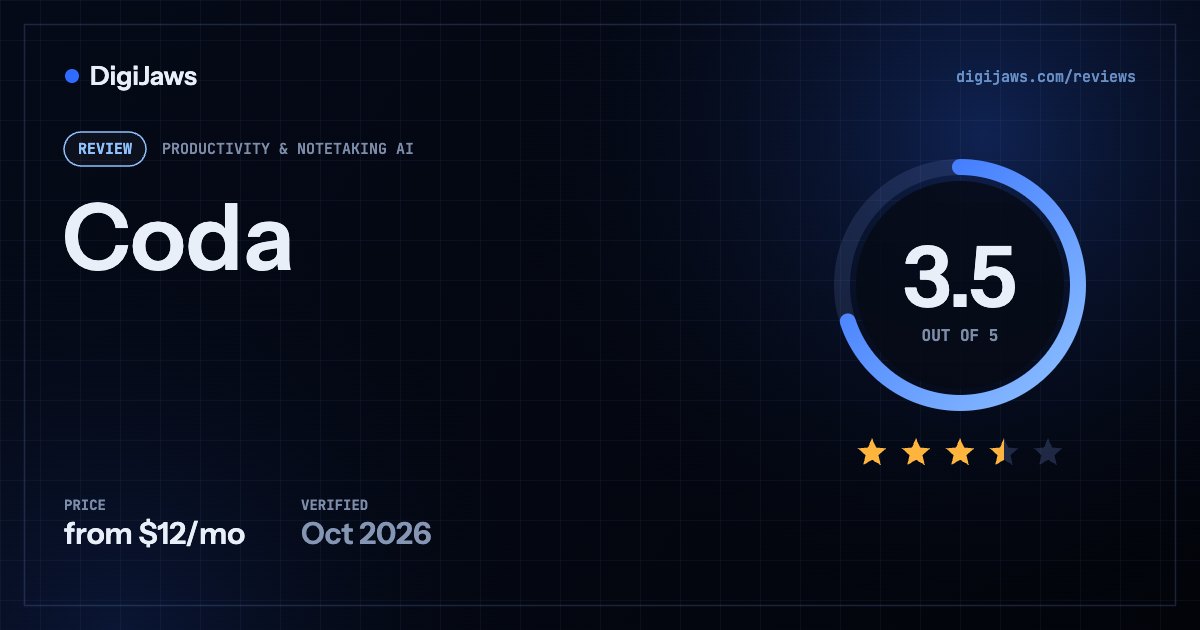
Coda (now Superhuman Docs) — Coda no longer exists under that name — it is Superhuman Docs, and the seat model is still the most interesting thing about it.
Short answer: Coda is now Superhuman Docs. Grammarly acquired Coda in December 2024, renamed itself Superhuman in October 2025 after also buying Superhuman Mail, and completed the product rebrand on 8 July 2026. coda.io/pricing now redirects to superhuman.com/plans/docs. The pricing that matters survived intact: a free plan, Pro at $12 per Doc Maker per month billed annually ($15 monthly), Business at $33 ($40 monthly), and custom Enterprise — and crucially you pay only for Doc Makers, because Editors and Viewers are always free. That seat model remains the cheapest way to give a large audience access to a shared workspace, which is the main reason to choose it.
On this page
Verdict at a glance
⭐ You pay only for Doc Makers. Editors and Viewers cost nothing, forever. A 100-person company where 8 people build docs pays for 8 seats — where per-member tools like Notion would charge for all 100.
The product you researched under the name Coda has been renamed, re-homed and bundled into a four-product suite in under two years. Anything you read about Coda that predates July 2026 refers to a brand that no longer exists, and much of the AI functionality is labelled Beta.
Superhuman Docs rates 3.5, and the number is held down by turbulence rather than by the product. What Coda was good at — documents that behave like applications, with tables, views, formulas and automations living inside a doc rather than beside it — is intact, and the Doc Maker seat model is genuinely the best-value collaboration pricing in this comparison for organisations with many readers and few builders. The risk is organisational. In under two years this product was acquired, its parent renamed itself after a different acquisition, and the product itself was renamed again; its AI features carry Beta labels, and it now competes for roadmap attention with Grammarly, Mail and Go inside one suite. If you are choosing a system of record for the next five years, weigh that against Notion, which has been under the same name and ownership throughout. If you need many viewers on a shared workspace at low cost, the seat model is hard to argue with.
Quick facts
| Attribute | Detail |
|---|---|
| Ideal team | Many readers, few document builders |
| Learning curve | ⚠️ Moderate-to-high — formulas and Packs take time |
| Setup time | Hours for a working doc; longer for a workspace |
| Free trial | Free plan rather than a time-limited trial |
| Free tier | ⭐ Collaborative docs, tables, formulas, automations |
| Pricing | $12/Doc Maker/mo annual · $15 monthly · Business $33/$40 |
| Seat model | ⭐ Editors and Viewers always free; billed on Doc Makers only |
| Key limit | ⚠️ Renamed from Coda on 8 July 2026; AI features in Beta |
Overview
The first thing to establish about a Coda review in 2026 is that Coda is not what the product is called any more. Grammarly acquired Coda in December 2024. In October 2025 Grammarly renamed the whole company Superhuman, following its June 2025 acquisition of the Superhuman email client, and folded four products under one brand: Grammarly for writing, Coda for docs, Mail for email, and a new assistant called Go. On 8 July 2026 the last step landed and Coda itself became Superhuman Docs. Visiting coda.io/pricing today returns a 307 redirect to superhuman.com/plans/docs.
The pricing model came through the rebrand unchanged, and it remains the product’s best argument. There is a free plan with collaborative docs, connected tables, views, forms, formulas and automations. Pro is $12 per Doc Maker per month billed annually, or $15 monthly, and adds unlimited doc size, 30-day version history, custom branding and domains, and AI features in Beta. Business is $33 per Doc Maker per month billed annually, or $40 monthly, adding databases, unlimited automations and version history, private folders, subfolders, doc and page locking, and Superhuman Mail. Enterprise is custom and brings SAML SSO, SCIM, audit events, a SOC 2 Type 2 report and HIPAA compliance.
The word Doc Maker is doing the heavy lifting. The vendor defines a Doc Maker as someone who creates docs and templates and manages folders and workspace organisation. An Editor can edit content in existing docs, add tables and views, build formulas and buttons, and configure Packs and automations — and Editors, along with Viewers, are always free. You are billed at the end of each cycle on the number of Doc Makers, prorated for mid-cycle changes. For a company where a handful of people build the docs everyone else works in, this is dramatically cheaper than per-member pricing.
Key features
- Docs that contain applicationstables, views, forms and buttons live inside the document
- Doc Maker seat modelEditors and Viewers are free at every paid tier
- Formulas across docsspreadsheet-style logic without a separate spreadsheet
- Packsconnectors to external tools, with 46+ on Pro and 72+ on Business
- Automationsunlimited on Business, metered below it
- Docs AIin-page assistant to write, build docs and automate tasks (Beta)
- MCP server accessavailable to any Doc Maker, with limited trials on free plans
- DatabasesBusiness-tier structured data (Beta)
- Doc and page lockingBusiness tier, useful once non-builders are editing
- Private folders and subfoldersBusiness tier workspace organisation
Pricing (as of 2026-10-01)
Model: per Doc Maker per month; Editors and Viewers free; annual billing discounted · Free tier: ⭐ collaborative docs, tables, views, forms, formulas and automations · Entry paid: $12/Doc Maker/mo billed annually
| Plan | Price | Includes |
|---|---|---|
| Free | $0 | ⭐ Collaborative docs · connected tables, views and forms · formulas and automations · Docs AI trial · MCP trial · 36+ integrations |
| Pro | $12/Doc Maker/mo annual · $15 monthly | Unlimited doc size · write, edit and ask with AI (Beta) · AI trackers, pages and views (Beta) · MCP · 30-day version history · hide pages · custom icons, branding and domains · Grammarly and Go · 46+ integrations |
| Business | $33/Doc Maker/mo annual · $40 monthly | Databases (Beta) · unlimited automations · unlimited version history · private folders and subfolders · doc and page locking · cross-doc sync and actions · group trainings · adds Superhuman Mail · 72+ integrations |
| Enterprise | Custom | SAML SSO · SCIM provisioning · AI admin controls · doc and folder governance · audit events · SOC 2 Type 2 report · HIPAA compliance · 85+ integrations |
⭐ The seat model is the reason to look at this product. You are billed only on Doc Makers; Editors and Viewers are free at every tier. In a 100-person organisation where 8 people build docs, Pro costs $96 a month rather than the $1,000 a per-member tool would charge — and Editors retain real power, including building formulas, buttons, Packs and automations.
⚠️ The jump from Pro to Business is large — $12 to $33 per Doc Maker annually, a 2.75× increase. Check carefully whether you need it: the practical triggers are databases, unlimited automations, private folders, doc locking, and Superhuman Mail. If you only want Mail, price it against buying Mail separately.
⚠️ Several headline AI capabilities are labelled Beta by the vendor, including Docs AI writing, AI trackers and Business-tier databases. The vendor also states Docs AI is available during Beta for Doc Makers, so free-plan and Editor access to AI is limited. Do not buy on the AI features alone until they leave Beta.
⭐ Billing is prorated automatically when the number of Doc Makers changes mid-cycle, so promoting someone to Doc Maker for one project does not cost a full month.
Ratings breakdown
Pros
- ⭐ Editors and Viewers are free — you pay only for Doc Makers
- ⭐ Editors keep substantial power, including formulas, buttons, Packs and automations
- Documents genuinely behave like applications rather than pages with embeds
- A real free plan including tables, views, forms, formulas and automations
- Mid-cycle seat changes are prorated automatically
- MCP access for any Doc Maker, with unlimited use on paid plans under fair use
- Enterprise brings SOC 2 Type 2, HIPAA, SAML SSO, SCIM and audit events
- Bundling means Pro and Business also include Grammarly and Go
Cons
- ⚠️ Renamed twice in under two years — Coda became Superhuman Docs on 8 July 2026
- ⚠️ Headline AI features and Business databases are labelled Beta
- ⚠️ Pro to Business is a 2.75× price jump per Doc Maker
- Competes for roadmap attention with three sibling products in one suite
- Documentation and third-party guides still largely say Coda, which makes research confusing
- The learning curve is steeper than Notion for the same first task
- Free plan AI is a trial rather than an allowance
Who it’s for
- Organisations where many people read and few people build documents
- Teams replacing a tangle of spreadsheets, forms and status docs with one artefact
- Companies already paying for Grammarly that would absorb Docs into the same bundle
- Builders who want spreadsheet logic and app-like interaction inside a document
Who it’s not for
- Buyers who need stability of naming, ownership and roadmap above all
- Teams wanting production-ready AI features today rather than Beta labels
- Small teams where nearly everyone would be a Doc Maker, which erodes the seat advantage
- Anyone who wants their content stored in files they control
Best use cases
- A company wiki where the whole organisation reads and a small team maintains
- Project trackers that combine documents, tables and automations in one place
- Interactive briefs and forms that collect and route responses without another tool
- Replacing a spreadsheet-plus-doc pair with a single document containing both
- Cross-doc reporting on Business, where syncing and actions span multiple docs
Integrations
Integrations are tiered by count and gated by plan: 36+ on Free, 46+ on Pro, 72+ on Business and 85+ on Enterprise. The connector system Coda called Packs remains, covering the usual calendar, CRM, storage and messaging tools. The more interesting path in 2026 is MCP: Superhuman Docs is available via an MCP server to any Doc Maker, with limited trials on free plans and unlimited access on paid plans under a fair-use policy. That makes the workspace directly addressable by AI assistants including Claude, which is a meaningful capability in a category where most tools still expose only a REST API. Business adds cross-doc syncing and the ability to take actions across docs, which is where the automation story becomes genuinely useful.
How it compares
| Superhuman Docs | Notion | Obsidian | Craft | |
|---|---|---|---|---|
| Entry price | $12/Doc Maker/mo annual (Pro) | $10/member/mo annual (Plus) | $4/user/mo annual (Sync add-on) | ⭐ $6.40/mo annual (Plus) |
| Free tier | ⭐ Docs, tables, formulas, automations | Unlimited pages for one person | ⭐ The complete app, unlimited | 1,500 blocks, 1 GB |
| Working tier | $33/Doc Maker/mo Business | $20/member/mo Business | $8/site/mo Publish | $50/mo Team (up to 10) |
| Seat model | ⭐ Per Doc Maker; Editors and Viewers free | ⚠️ Per member — everyone counts | Sync per user; Publish per site | Plus is one account; Family 2-6; Team up to 10 |
| Cost, 100 people / 8 builders | ⭐ $96/mo | ⚠️ $1,000/mo | $32/mo (Sync only) | ⚠️ Team caps at 10 accounts |
| Name stability | ⚠️ Renamed from Coda, July 2026 | ⭐ Unchanged | ⭐ Unchanged | ⭐ Unchanged |
| Best fit | Docs that behave like apps | General-purpose team workspace | Local-first vault you own | Design-led documents on Apple platforms |
All figures are vendor-published and verified on 2026-09-07. The 100-person row assumes 8 document builders and 92 readers or editors, priced at each vendor’s entry tier billed annually — it is the clearest illustration of what the Doc Maker model is worth.
Alternatives
Notion is the direct competitor and the safer institutional choice: comparable capability, a longer record of stability, and $10 per member per month billed annually — but it charges for every member, so it loses badly on cost as soon as your reader count grows. Craft is the better tool if what you actually want is beautifully formatted documents rather than documents that compute, at $6.40 a month billed annually. Obsidian is the alternative for anyone whose real objection is storing knowledge in a vendor’s database at all, since its notes are Markdown files on your own disk. If the appeal here is specifically the free-Editor seat model, none of the three replicates it — that pricing structure is the product’s genuine differentiator and the main reason to tolerate the naming churn.
Recent changes
This product has changed name twice in under two years. Grammarly acquired Coda in December 2024. In October 2025, following its June 2025 acquisition of the Superhuman email client, Grammarly renamed the entire company Superhuman and grouped four products — Grammarly, Coda, Mail and a new assistant called Go — under that brand. On 8 July 2026 the product rebrand completed and Coda became Superhuman Docs. As verified on 2026-09-07, coda.io/pricing issues a 307 redirect to superhuman.com/plans/docs. Pricing at that date is Free, Pro at $12 per Doc Maker per month billed annually or $15 monthly, Business at $33 or $40 monthly, and custom Enterprise. Docs AI, AI trackers and Business databases are all labelled Beta by the vendor. Practical consequence for buyers: any comparison, tutorial or pricing guide about Coda written before July 2026 describes a brand that no longer exists, though the seat model it praised is still in place.
Frequently asked questions
Is Coda still available in 2026?
Yes, but not under that name. Coda is now Superhuman Docs. Grammarly acquired Coda in December 2024, renamed the company Superhuman in October 2025, and completed the product rebrand on 8 July 2026. Visiting coda.io/pricing returns a 307 redirect to superhuman.com/plans/docs. Existing functionality, including the Doc Maker seat model, carried over.
How much does Superhuman Docs cost?
There is a free plan. Pro is $12 per Doc Maker per month billed annually, or $15 billed monthly. Business is $33 per Doc Maker per month billed annually, or $40 monthly, and adds Superhuman Mail. Enterprise is custom-priced. Because billing counts only Doc Makers, the headline figure understates how many people can actually use the workspace.
What is a Doc Maker, and who do I actually pay for?
A Doc Maker creates docs and templates and manages folders and workspace organisation. An Editor edits content in existing docs and can still add tables and views, build formulas and buttons, and configure Packs and automations. Editors and Viewers are always free. You are billed at the end of each cycle on the number of Doc Makers in the workspace, and mid-cycle changes are prorated automatically.
Is Superhuman Docs cheaper than Notion?
For most organisations, substantially — because of who counts as a paid seat. Notion charges $10 per member per month billed annually for every member. Superhuman Docs charges $12 per Doc Maker and nothing for Editors or Viewers. A 100-person company with 8 document builders pays roughly $96 a month here against about $1,000 on Notion Plus. If nearly everyone builds docs, the advantage disappears and Notion’s $10 is the lower rate.
Does Superhuman Docs include AI, and is it ready?
It includes Docs AI, an in-page assistant that writes, builds docs and automates tasks, plus AI trackers, pages and views. The vendor labels these Beta, and states Docs AI is available during Beta for Doc Makers — so Editors and free-plan users get limited access. Business-tier databases are also Beta. Treat the AI as promising rather than dependable, and do not select the product on that basis alone.
Can I connect Superhuman Docs to Claude or another AI assistant?
Yes. Superhuman Docs is available via an MCP server to any Doc Maker, with limited trials on free plans and unlimited access on any paid plan under a fair-use policy. That lets an assistant read and act on your workspace directly, which is a step beyond the REST APIs most competitors offer.
What happened to my Coda docs after the rebrand?
They carried over to Superhuman Docs along with the workspace and seat structure — the change was a rename and re-homing rather than a migration you had to perform. What did change is where you manage and pay for it, since pricing and account pages now live on superhuman.com. Anyone auditing a renewal should check which of the four suite products they are actually being billed for, because Business bundles Mail into the same per-Doc-Maker price.
Sources
- Superhuman Docs — official pricing page and plan FAQs
- Superhuman Help Center — what’s changing: Coda becomes Superhuman Docs
- Grammarly — announcing company rebrand to Superhuman
- TechCrunch — Grammarly rebrands to Superhuman, launches a new AI assistant
- Notion — official pricing page
Compiled from public sources; last verified 2026-10-01. Pricing is subject to change — verify with the vendor. Ratings reflect editorial opinion based on documented capabilities, published pricing, and aggregated user reviews. DigiJaws does not accept payment for review placement or rating.
Looking for the numbers? Our Coda (now Superhuman Docs) pricing page breaks down every plan, what each upgrade costs over a year, and what the headline price leaves out.
Also in: Best AI Knowledge Base Apps (2026)
Coda Review 2026: Now Superhuman Docs — Pricing. DigiJaws, 2026. https://digijaws.com/reviews/coda-review/