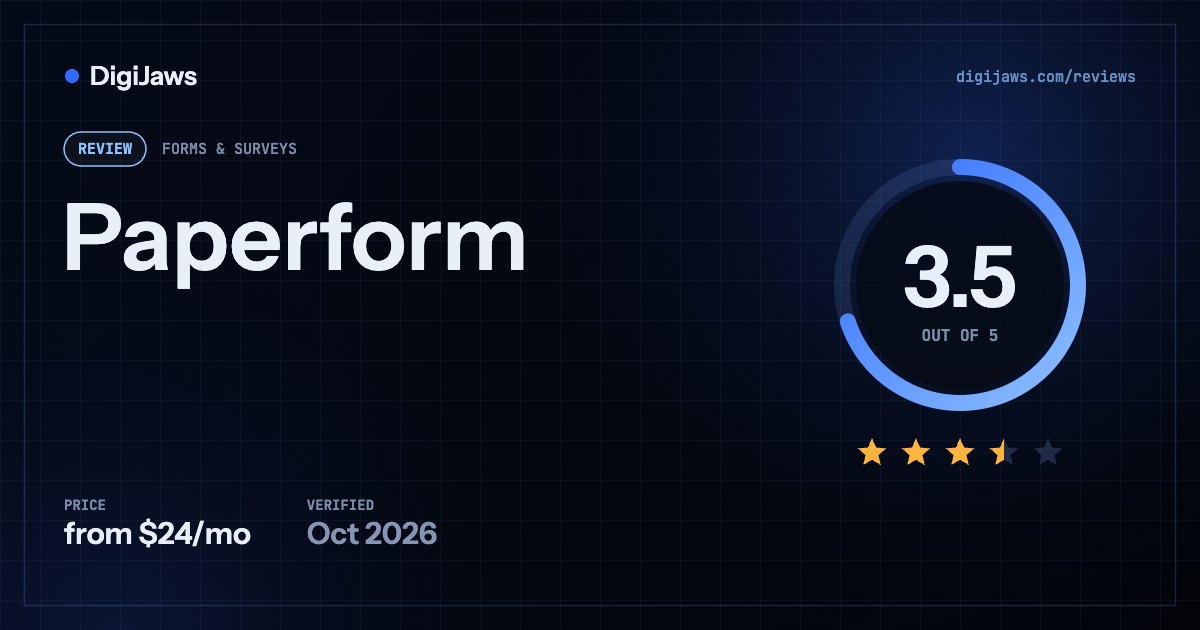
Paperform — Forms that look like documents rather than surveys — priced on annual submission quotas, with overage rates published per block.
Short answer: Paperform builds forms that read like documents. Free is $0 with unlimited forms but only 30 submissions a month and 1 user. Essentials is $24 a month with 1,200 submissions a year plus $7.50 per additional 3,000. Pro is $49 with 12,000 a year plus $10 per additional 6,000 and 3 users. Business is $99 with 120,000 a year, 5 users and $9 per extra user up to 25. A 7-day trial needs no card.
On this page
Verdict at a glance
Forms that genuinely look designed. Paperform’s document-style editor produces things people are willing to fill in, which is a real conversion advantage.
Submission quotas are annual, not monthly, and the free plan allows only 30 a month. Read the annual figure carefully — 1,200 a year on Essentials is 100 a month.
Paperform’s distinguishing quality is aesthetic and it matters more than that sounds. Its editor works like a document rather than a form builder, so you write prose and drop questions into it, and the result looks like something a person made rather than a survey generated by software. For customer-facing forms — applications, bookings, order pages — that difference measurably affects whether people finish them. The pricing needs careful reading, because submission quotas are annual rather than monthly and the numbers look larger than they are. Free is $0 with unlimited forms but just 30 submissions a month and one user. Essentials at $24 a month provides 1,200 submissions a year — which is 100 a month — plus $7.50 monthly per additional 3,000, with scoring and calculations. Pro at $49 provides 12,000 a year, or 1,000 a month, plus $10 per additional 6,000, with 3 users, removable branding, custom domains, webhooks and API access. Business at $99 provides 120,000 a year with 5 users, $9 per extra user up to 25, business API, SSO and custom email domains. That annual framing is the thing to watch: Essentials sounds generous at 1,200 until you divide by twelve. Against Fillout’s 1,000 free responses a month with unlimited seats, Paperform is buying you design rather than volume.
Quick facts
| Attribute | Detail |
|---|---|
| Ideal team | Teams whose forms are customer-facing and should look designed |
| Learning curve | Low — the editor behaves like a document |
| Setup time | Under an hour |
| Free trial | 7 days, no credit card |
| Free tier | ⚠️ Yes — 30 submissions/month, 1 user |
| Quotas | ⚠️ Annual, not monthly — 1,200/yr is 100/month |
| Users | 1 on Essentials · 3 on Pro · 5 on Business (max 25) |
| Overages | ⭐ Published — $7.50 per 3,000 · $10 per 6,000 |
Overview
Paperform’s editor works like a document. You write, and questions drop into the prose where they belong, so the finished form reads as something composed rather than generated. For customer-facing work — applications, order pages, event bookings, client intake — that difference is not decorative: a form that looks considered gets finished more often than one that looks like a survey tool’s default template. This is the reason to choose Paperform, and it is a good one.
The pricing is transparent but requires attention because quotas are annual rather than monthly. Free is $0 with unlimited forms, 30 submissions a month, one user, limited support, Paperform branding and basic fields. Essentials is $24 a month, or $288 a year, with unlimited forms, 1,200 submissions a year — 100 a month — plus $7.50 a month per additional 3,000, one user, standard support, minimal branding, scoring and calculations. Pro is $49 a month, or $588 a year, with 12,000 submissions a year plus $10 a month per additional 6,000, three users, priority support, removable branding, custom domains, webhooks and API access, and comes with a seven-day free trial requiring no credit card. Business is $99 a month, or $1,188 a year, with 120,000 submissions a year plus $10 per additional 12,000, five users plus $9 a month per additional user to a maximum of 25, first-priority support, business API, SSO and custom email domains. Enterprise is custom-priced.
Two things follow from that structure. The annual framing makes the allowances look larger than they are — 1,200 a year on Essentials is a hundred submissions a month, which a moderately successful form will exhaust — so divide by twelve before comparing against monthly-quota competitors. And the overage rates being published is genuinely to Paperform’s credit: $7.50 per additional 3,000 on Essentials and $10 per 6,000 on Pro means you can model what exceeding your quota actually costs, which most form vendors leave you to discover. Against Fillout, which gives 1,000 responses a month free with unlimited seats, Paperform is selling design rather than volume.
Key features
- Document-style editorwrite prose and drop questions into it
- Unlimited formson every plan including free
- Scoring and calculationsfrom the Essentials tier
- Removable brandingPro tier at $49
- Custom domainsPro tier
- Webhooks and API accessPro tier
- Business API and SSOBusiness tier
- Custom email domainsBusiness tier
- Published overage rates⭐ $7.50 per 3,000, $10 per 6,000
- 7-day free trialno credit card required
Pricing (as of 2026-09-21)
Model: annual submission quotas with published overage blocks; users tiered · Free tier: ⚠️ yes — 30 submissions/month, 1 user, Paperform branding · Entry paid: $24/mo (Essentials)
| Plan | Price | Includes |
|---|---|---|
| Free | $0 | Unlimited forms · ⚠️ 30 submissions per month · 1 user · limited support · Paperform branding · basic fields |
| Essentials | $24/mo · $288/yr | Unlimited forms · ⚠️ 1,200 submissions per year (100/month) plus $7.50/month per additional 3,000 · 1 user · standard support · minimal branding · scoring and calculations |
| Pro | $49/mo · $588/yr | 12,000 submissions per year plus $10/month per additional 6,000 · 3 users · priority support · removable branding · custom domains · webhooks · API access · 7-day free trial, no card |
| Business | $99/mo · $1,188/yr | 120,000 submissions per year plus $10/month per additional 12,000 · 5 users plus $9/month per additional user to a maximum of 25 · first-priority support · business API · SSO · custom email domains |
| Enterprise | Custom | Contact Paperform for enterprise terms |
⚠️ Submission quotas are annual, not monthly, which makes them look larger than they are. Essentials’ 1,200 a year is 100 a month — a moderately successful form will exhaust that. Divide the annual figure by twelve before comparing against competitors quoting monthly allowances.
⭐ Overage rates are published: $7.50 a month per additional 3,000 submissions on Essentials, $10 per additional 6,000 on Pro and $10 per additional 12,000 on Business. Being able to model the cost of exceeding your quota is unusual in this category and genuinely useful.
⚠️ The free plan allows 30 submissions a month with one user and Paperform branding. Against Fillout‘s 1,000 free monthly responses with unlimited seats, Paperform’s free tier is a demonstration rather than a working plan — you are buying design, not volume.
Ratings breakdown
Pros
- Document-style editor produces forms people are willing to finish
- Unlimited forms on every plan, including free
- Published overage rates let you model exceeding your quota
- Scoring and calculations from the $24 Essentials tier
- Custom domains, webhooks and API access at Pro
- SSO, business API and custom email domains at Business
- 7-day free trial with no credit card
- Extra users on Business at $9 each up to 25
Cons
- ⚠️ Free plan limited to 30 submissions a month and 1 user
- ⚠️ Quotas are annual — Essentials’ 1,200/year is only 100/month
- Essentials and the free plan allow a single user each
- Branding removal requires Pro at $49
- API access gated to Pro rather than available lower down
- Business caps at 25 users even with paid additions
- Volume economics trail Fillout substantially
Who it’s for
- Teams whose forms are customer-facing and represent the brand
- Anyone building applications, order pages or client intake forms
- Businesses that value completion rate over raw submission volume
- Teams wanting published overage rates rather than surprise bills
Who it’s not for
- High-volume form operators — Fillout is far better value
- Teams needing multiple builders, given the 1-user lower tiers
- Anyone who can live with Google Forms’ free, uncapped collection
- Organisations needing API access on a budget below $49
Best use cases
- Building a client application form that looks professionally designed
- Creating an order page with scoring and calculations on Essentials
- Publishing forms on a custom domain from the Pro tier
- Modelling overage cost precisely using published block rates
- Trialling the full Pro tier for seven days without a card
Integrations
Paperform connects to the common payment, spreadsheet, CRM and automation tools, with webhooks and API access arriving at the Pro tier and a business API at Business. The Pro gating on API access is the practical constraint — a form that needs to push data into a custom system starts at $49 a month rather than $24, so factor that into the tier decision if programmatic integration is part of the plan.
How it compares
| Paperform | Fillout | Google Forms | Formstack | |
|---|---|---|---|---|
| Entry paid | $24/mo | $15/mo | ⭐ $0 | ⚠️ $83/mo annual |
| Free tier submissions | ⚠️ 30/month | ⭐ 1,000/month | ⭐ No fixed cap | ⚠️ No free plan |
| Quota basis | ⚠️ Annual | Monthly | n/a | Per form and total |
| Users at entry paid | ⚠️ 1 | ⭐ Unlimited | Unlimited | ⚠️ 1 builder |
| Overage rates published | ⭐ Yes, per block | Tier-based | n/a | From $50 |
| Design control | ⭐ Strongest here | Good | ⚠️ Minimal | Moderate |
| Best fit | Design-led forms | Unlimited seats and forms | Free surveys at small scale | Regulated document workflows |
Fillout and Paperform prices are vendor-published and verified 2026-09-21. Formstack, Qualtrics and Google Workspace figures are from published third-party reporting, and Qualtrics publishes no public rates at all.
Alternatives
Fillout is much better value on volume and seats — 1,000 free monthly responses with unlimited users against Paperform’s 30 and one. Google Forms is free and uncapped if design does not matter. Formstack serves regulated document workflows at considerably higher cost. Qualtrics is enterprise research software rather than a form builder.
Recent changes
Paperform’s published plans run Free at $0 with unlimited forms, 30 submissions a month, one user, limited support, Paperform branding and basic fields. Essentials is $24 a month or $288 a year with unlimited forms, 1,200 submissions a year plus $7.50 a month per additional 3,000, one user, standard support, minimal branding, scoring and calculations. Pro is $49 a month or $588 a year with 12,000 submissions a year plus $10 a month per additional 6,000, three users, priority support, removable branding, custom domains, webhooks and API access, alongside a seven-day free trial requiring no credit card. Business is $99 a month or $1,188 a year with 120,000 submissions a year plus $10 a month per additional 12,000, five users plus $9 a month per additional user to a maximum of 25, first-priority support, business API, SSO and custom email domains. Enterprise pricing remains custom. Submission allowances continue to be expressed annually rather than monthly across all paid tiers.
Frequently asked questions
How much does Paperform cost?
Free is $0 with 30 submissions a month and one user. Essentials is $24 a month with 1,200 submissions a year, Pro $49 with 12,000 a year and three users, and Business $99 with 120,000 a year and five users. Overages are published at $7.50 per 3,000 on Essentials and $10 per 6,000 on Pro.
Are Paperform’s submission limits monthly or annual?
Annual, on every paid tier — which makes them look considerably larger than they are. Essentials’ 1,200 submissions a year is 100 a month, and Pro’s 12,000 is 1,000 a month. Always divide by twelve before comparing against competitors who quote monthly allowances, or the comparison will flatter Paperform substantially.
What happens if I exceed Paperform’s quota?
You pay a published overage rate: $7.50 a month per additional 3,000 submissions on Essentials, $10 per additional 6,000 on Pro and $10 per additional 12,000 on Business. Publishing those block rates is genuinely useful — it lets you model the cost of a busy month rather than discovering it, which most form vendors do not allow.
Is Paperform’s free plan usable?
Barely — 30 submissions a month with one user and Paperform branding. It demonstrates the editor rather than supporting real use. If you want a genuinely productive free tier, Fillout offers 1,000 monthly responses with unlimited seats, and Google Forms has no fixed cap at all.
Paperform or Fillout?
Paperform if the form is customer-facing and design drives completion — its document-style editor produces markedly better-looking forms. Fillout on almost every other measure: 1,000 free monthly responses against 30, unlimited seats against one, and $15 against $24 at entry. You are paying Paperform for aesthetics.
How many users does Paperform include?
One on Free and Essentials, three on Pro and five on Business, with additional Business users at $9 a month up to a maximum of 25. The single-user limit on Essentials at $24 is restrictive for any team, so a second builder effectively means Pro at $49 — worth factoring in before comparing entry prices.
Does Paperform offer API access?
Yes, from the Pro tier at $49 a month, alongside webhooks and custom domains, with a business API at the $99 Business tier. It is not available on Free or Essentials, so any form that needs to push data into a custom system starts at $49 rather than $24.
Sources
- Paperform — official pricing page
- Fillout — official pricing page
- Formbricks — Formstack pricing in 2026: no free plan, and $83/month buys just 1 user
- Costbench — Qualtrics pricing 2026: $1,500/year to $10K+/month
- Usecarly — Google Forms response limit: how many responses 2026
Compiled from public sources; last verified 2026-09-21. Pricing is subject to change — verify with the vendor. Ratings reflect editorial opinion based on documented capabilities, published pricing, and aggregated user reviews. DigiJaws does not accept payment for review placement or rating.
Looking for the numbers? Our Paperform pricing page breaks down every plan, what each upgrade costs over a year, and what the headline price leaves out.
Paperform Review (3.5/5): Features & Verdict (2026). DigiJaws, 2026. https://digijaws.com/reviews/paperform-review/